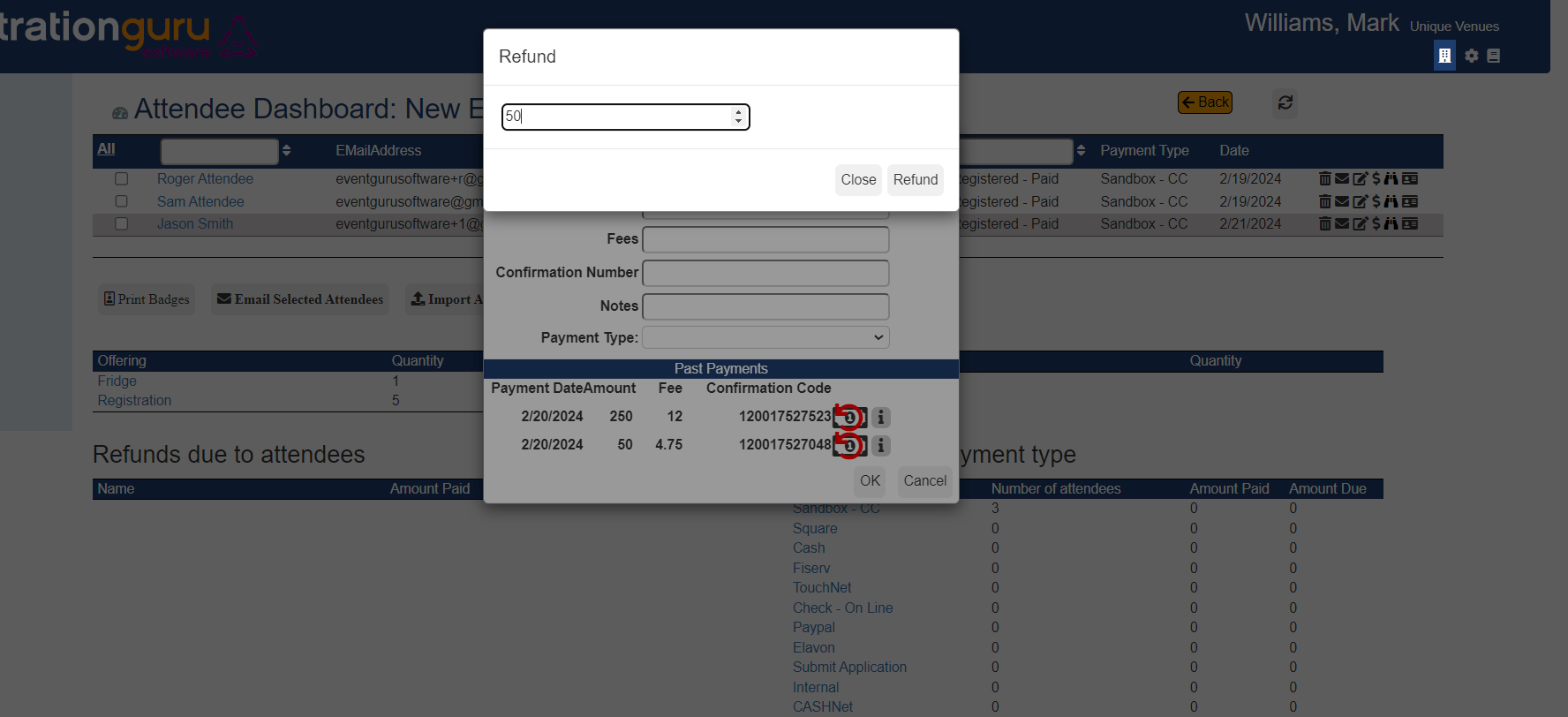
You asked for it and we delivered yet again! You may recall that before you needed to do a full refund first and add the balance amount second. Now, on the attendee dashboard you click on the $ click on the reverse red arrow and you will get a Refund page where you can enter in the refund amount saving you the extra step. The screen shot below shows the new Refund Screen. This does not change having to go into the credit card merchant account to actually send the money back to the attendee, so that will still need to occur.
Was this article helpful?
That’s Great!
Thank you for your feedback
Sorry! We couldn't be helpful
Thank you for your feedback
Feedback sent
We appreciate your effort and will try to fix the article