Feburary 2024
|
October 2023
|
|
|
|
September 2023
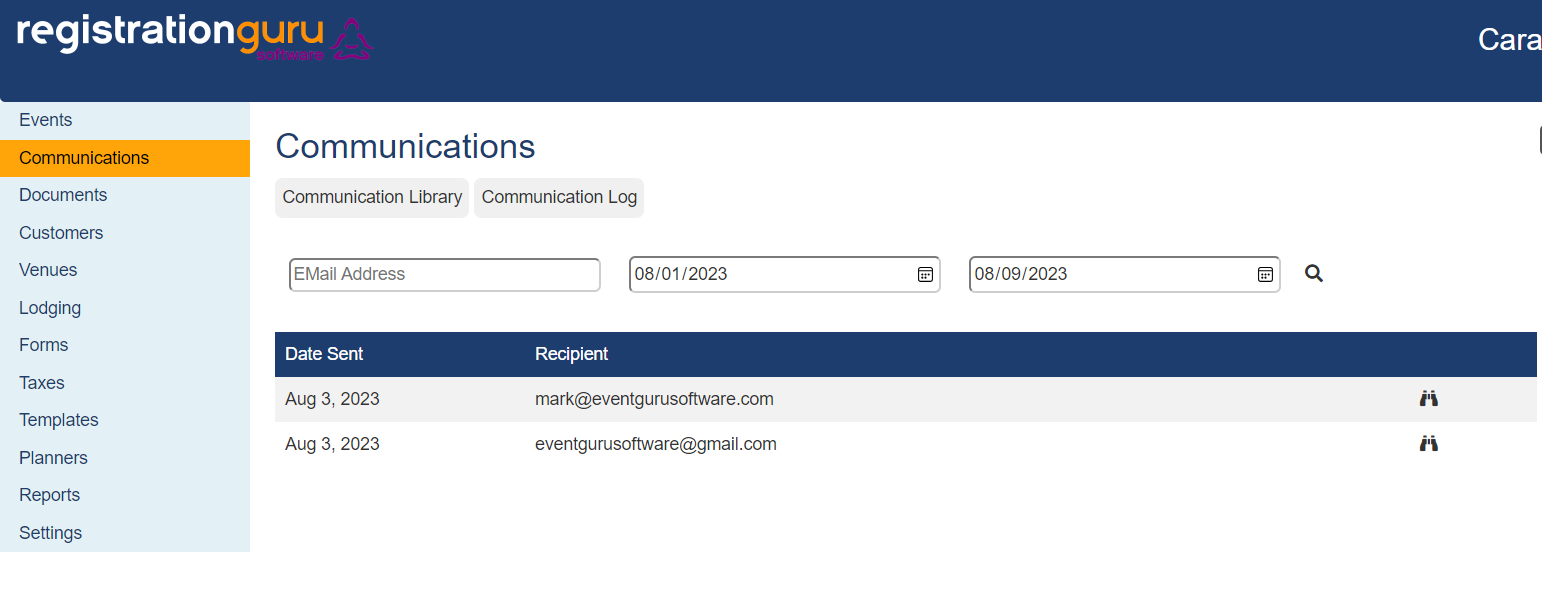
Tracking Email Communications - A communications log has been added to Registration Guru. When you click on the communications tab from the main dashboard, there are now two options, the communication library, and the new communication log. The communication log is where you have access to any emails that have been sent out. It includes who the email was sent out to, the date it was sent, as well as the message that was sent, which can be seen by clicking on the binoculars tab.
August 2023
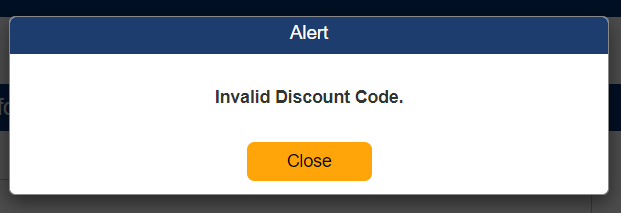
Invalid Discount Code Alert – A pop up message will appear when an invalid discount code is entered in the shopping cart. The invalid discount code will then be cleared from the field automatically.
July 2023
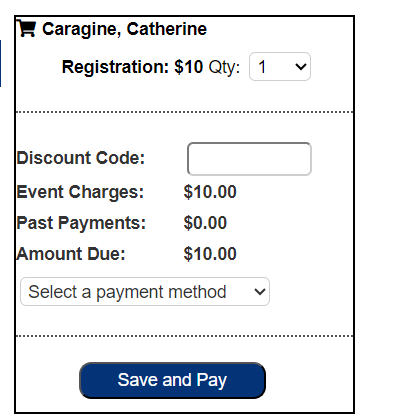
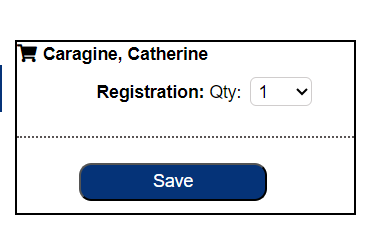
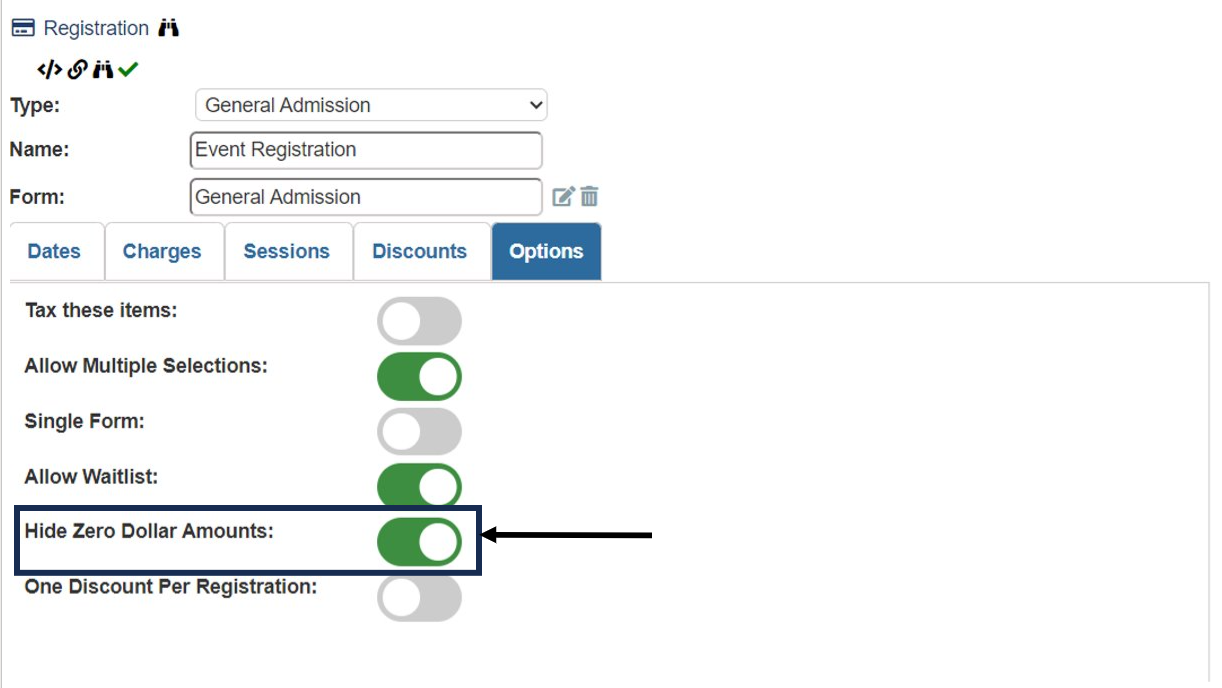
$0 registration options won’t show a $ amount in the shopping cart – Registration options that are free ($0) won’t show a $ amount in the shopping cart if the “Hide zero-dollar amounts” options are selected in the registration options section.
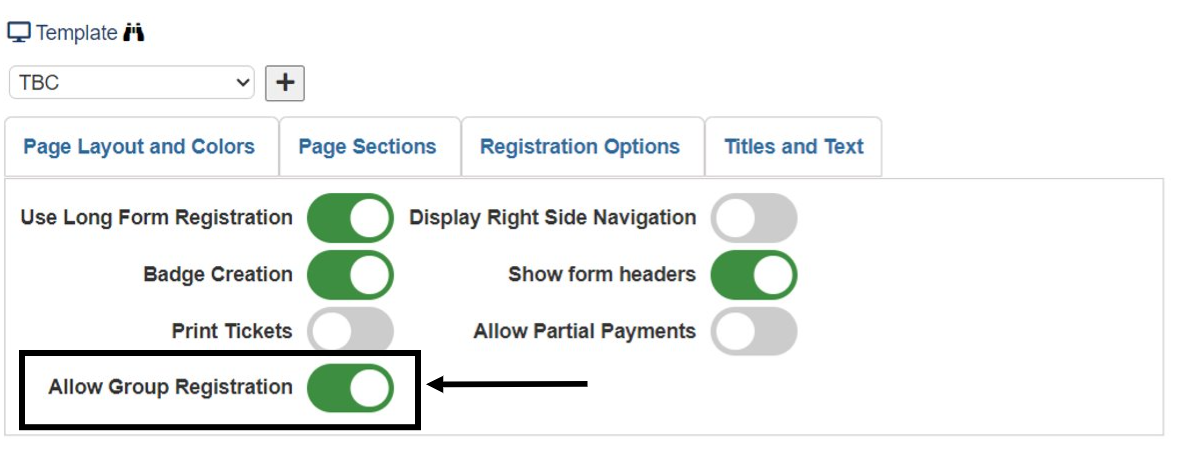
Maximum number of additional attendees – A maximum number of additional attendees can be set. When group registration is turned on, the new “group” box can be set to the total number of attendees one person can register. When group registration is turned on, a number must be entered into the Group field. If you have unlimited additional attendees, simply enter in a large number to accommodate this scenario.

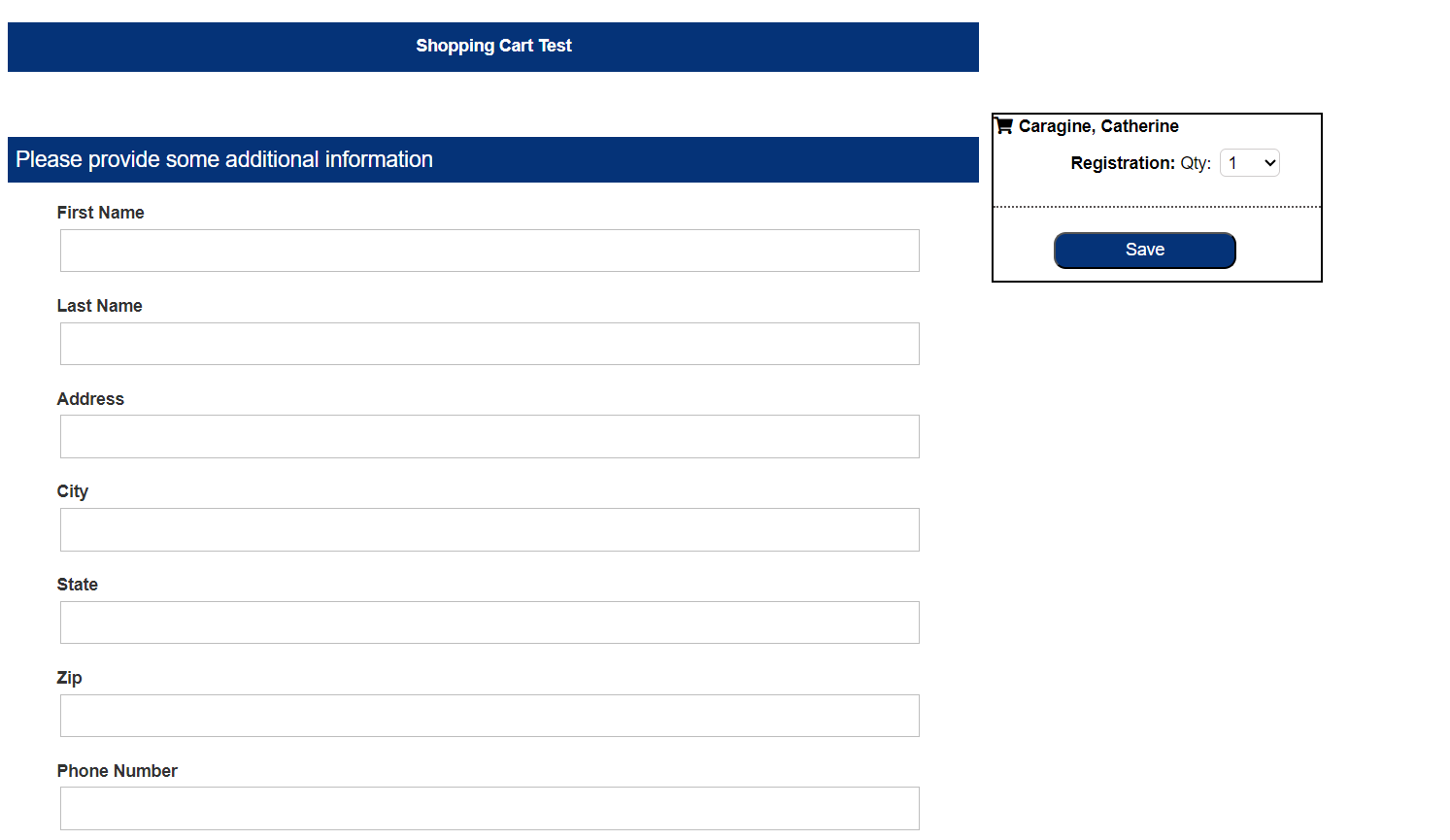
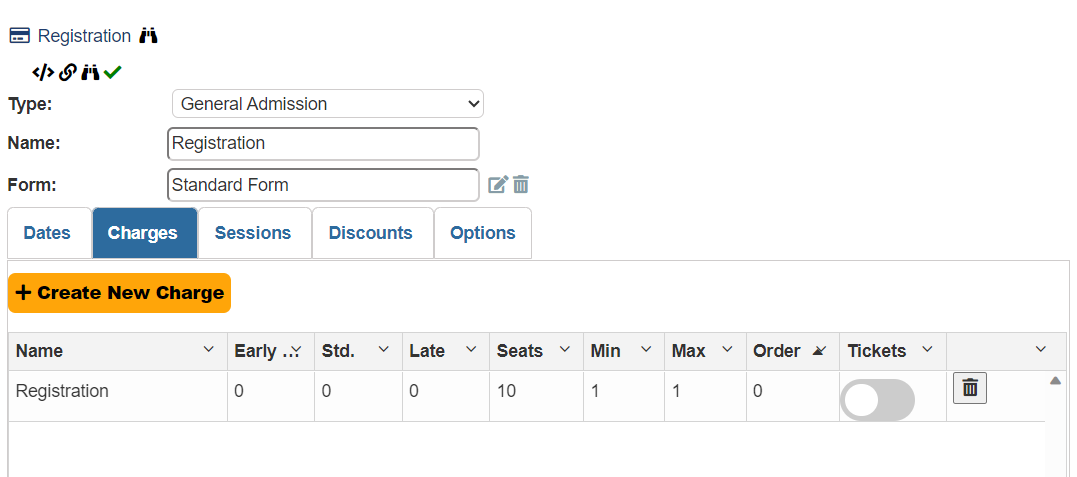
Form appears automatically without registration option being selected – When doing a long form registration, provided questions will automatically appear when there is only one registration option available.
June 2023
Back to Top Button - A back to top button has been added to the footer.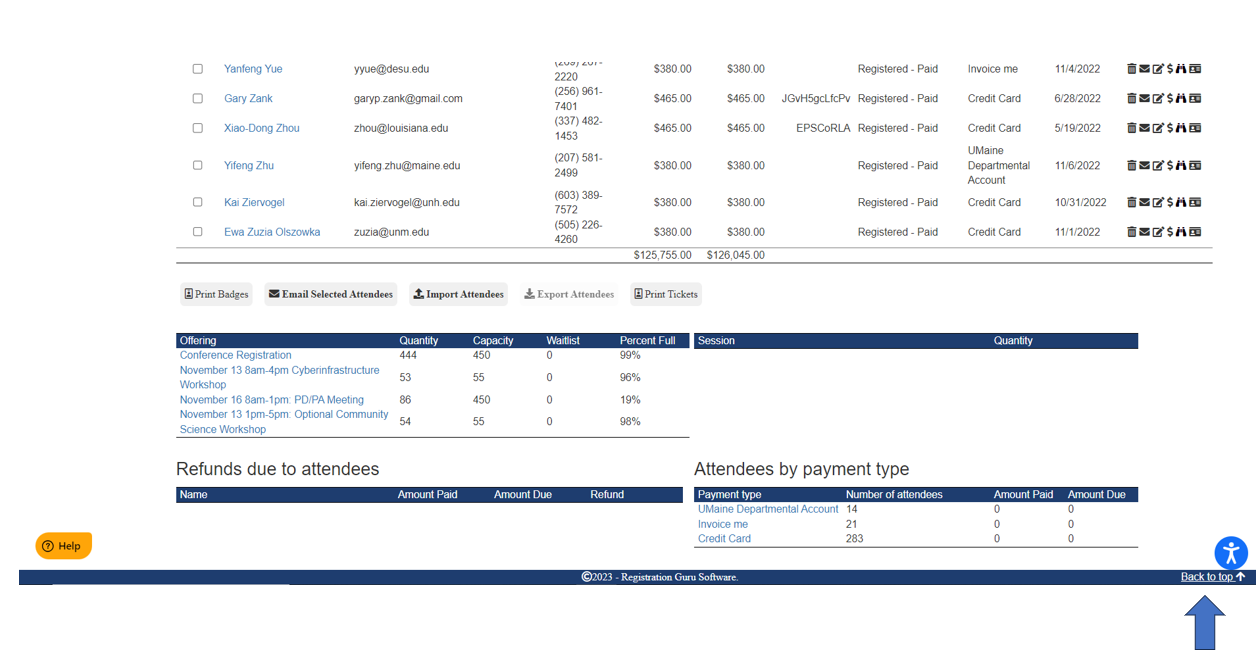
May 2023
Partially Paid Status for Attendees – Attendees status will appear as registered – partial when they submit a partial payment This will help distinguish between who is registered, registered - paid, registered - partial. This does require the option to take partial payments to be turned on under Registration Options.

April 2023
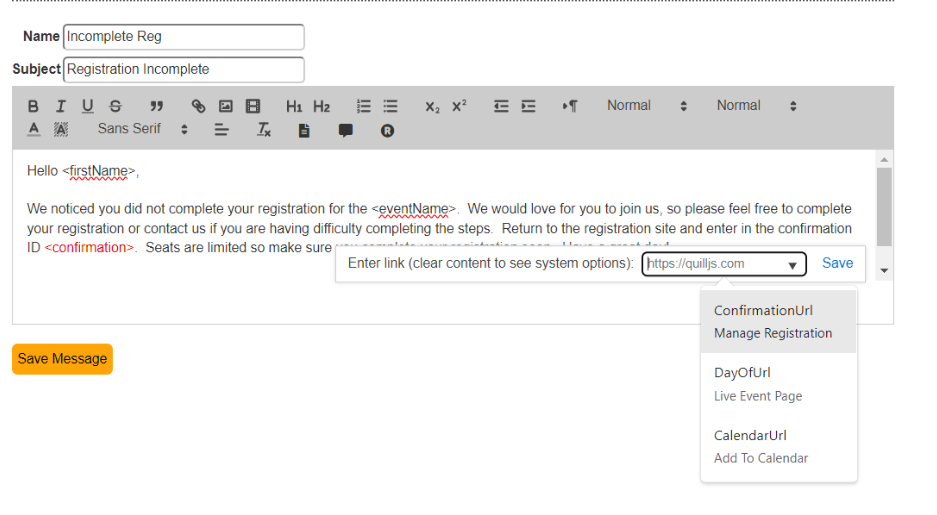
Look Up Registration Page URL – Users can now include the registration page url in messaging and on the landing page by selecting the chain link icon in the tool bar, deleting the text in the box, and clicking on “ConfirmationURL”. The attendee would return directly to the registration site and look up their incomplete registration or modify an existing registration.
March 2023
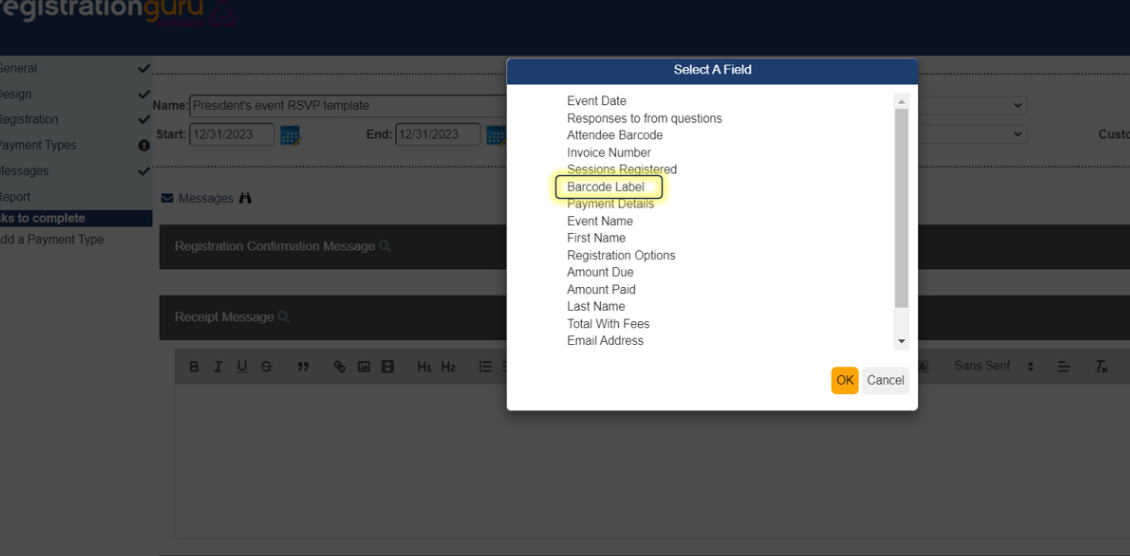
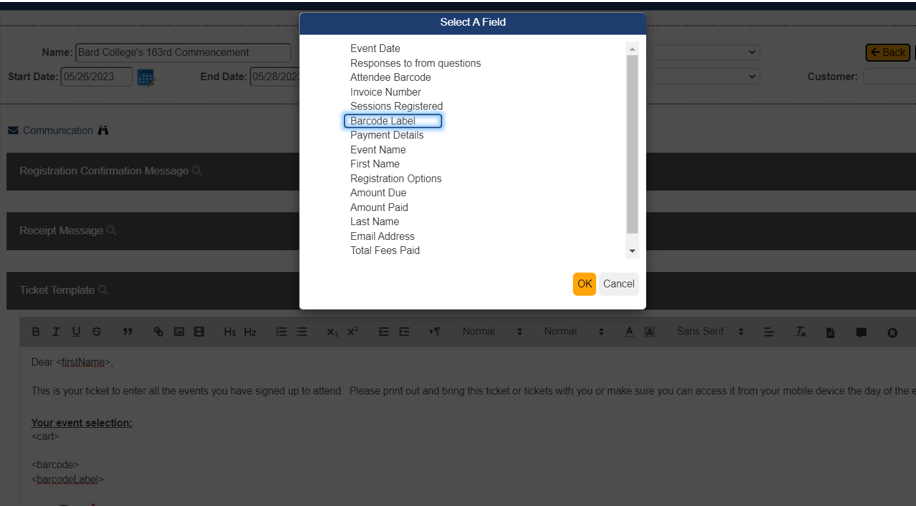
Ticketing Labels – If an event requires ticketing, and attendees have multiple tickets on their phone, the ticket can now be labelled indicating what the QR code is for by clicking on the smart text fields and selecting “barcode label”.
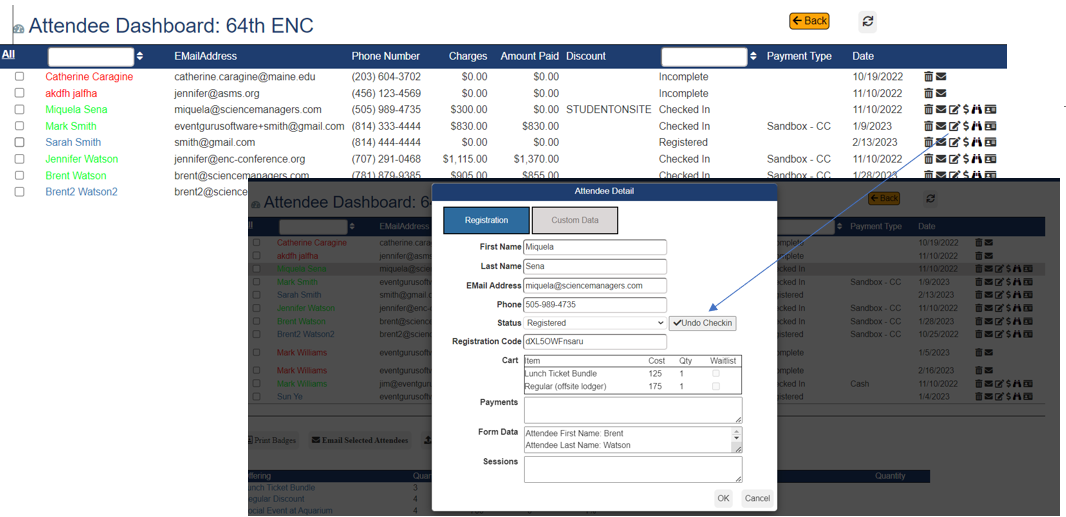
Reverse Check In – Attendees check ins for events can be reversed. For example, if someone is checked in by mistake, this can be undone. From the attendee dashboard screen click on the "Edit Attendee Record" icon and click on the Undo Check In. This will turn the attendee's font color from green to blue providing a visual cue the person is no longer checked in. 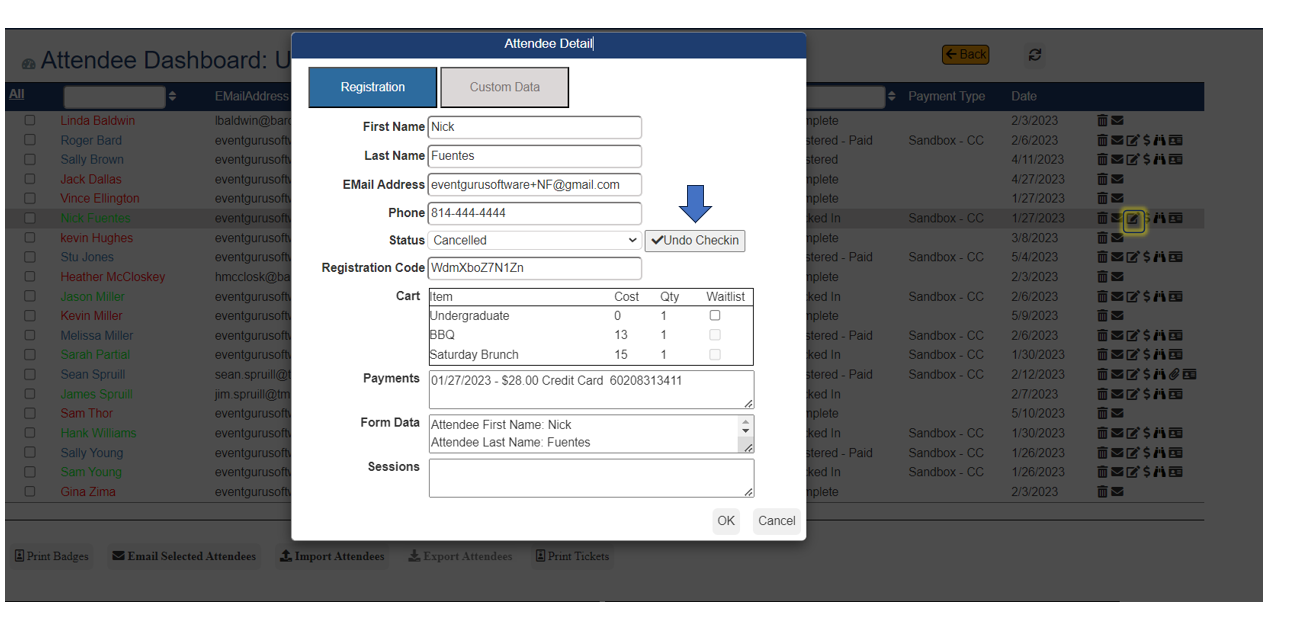
Mid - February 2023
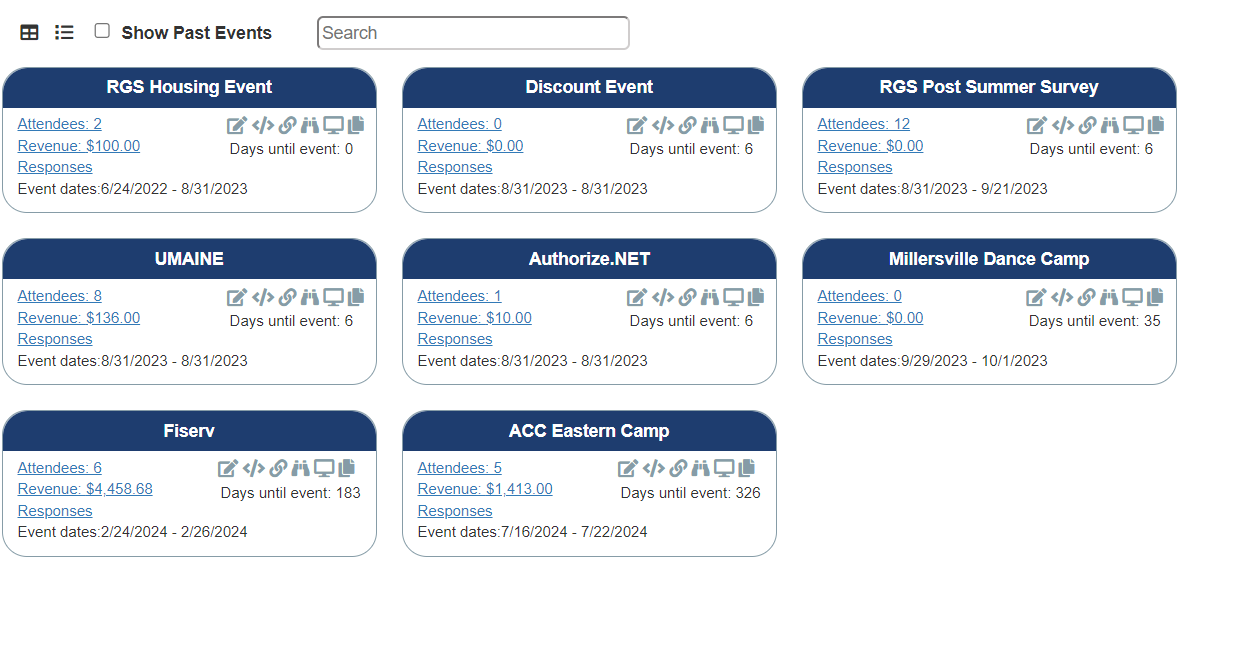
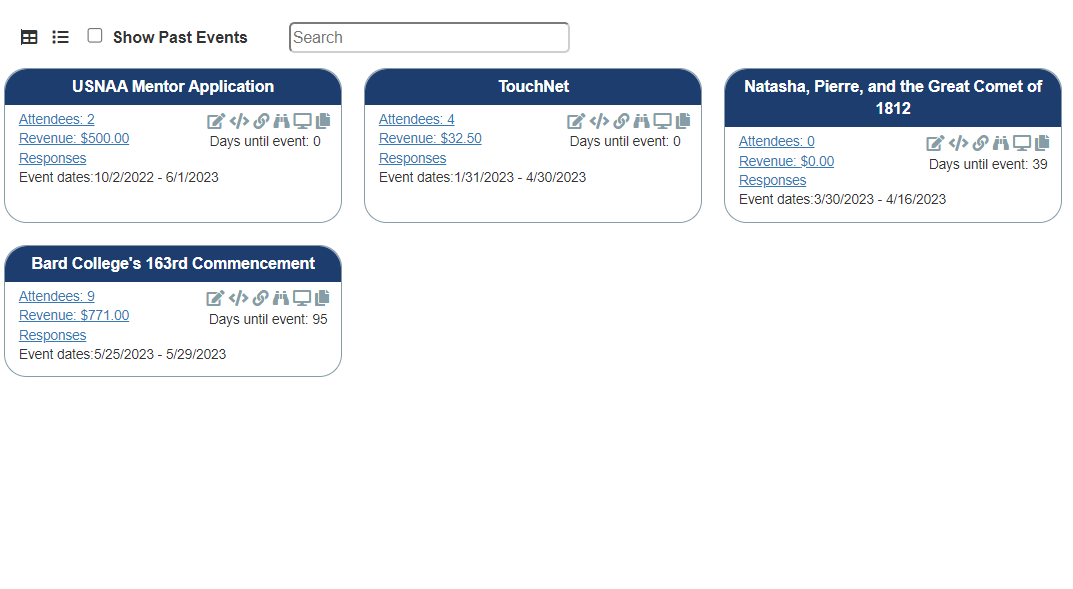
- Dashboard Panel View includes the date(s) of the event and is set to be in chronological order based on days until the event
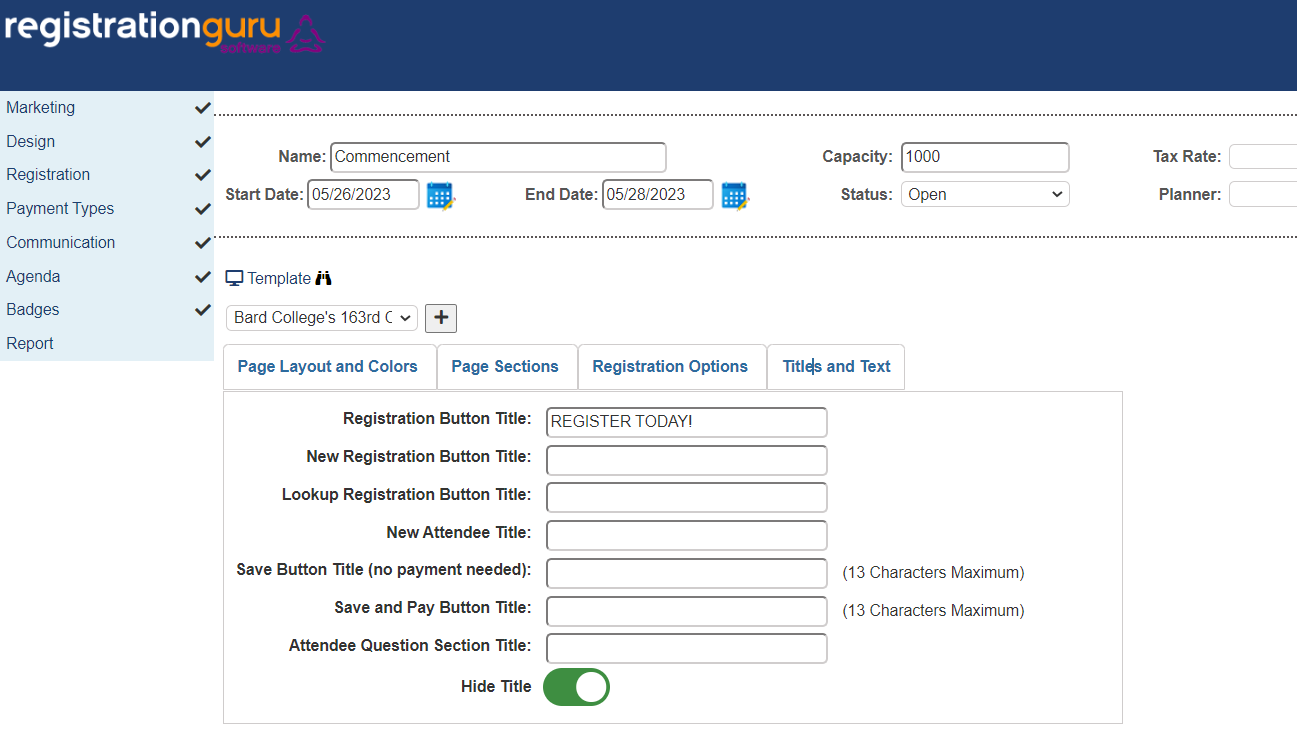
- Hiding the event title on the header section of the registration page is now an option for each event. In the Design section, click on the "Hide Title" to remove it from the header.
- A new field called Barcode Label is used to the identify the ticket associated with a QR code to help distinguish one QR code from another if using multiple codes
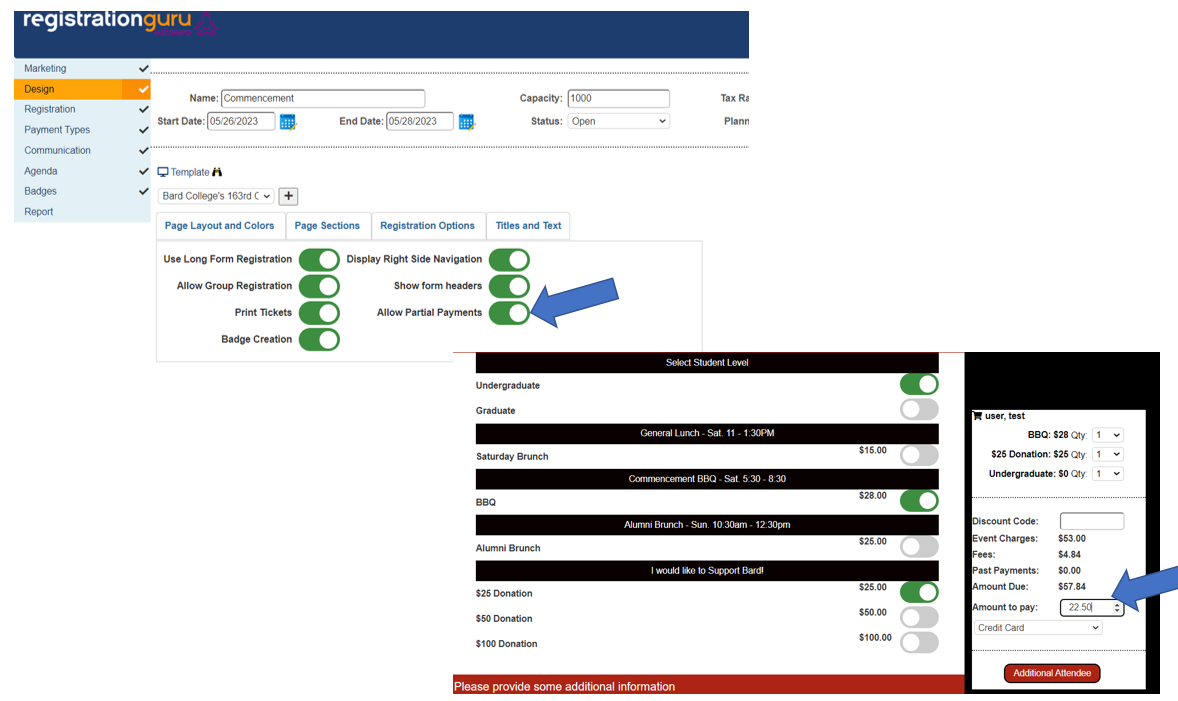
- You can now collect partial payments from an attendee. In the Registration area, click on Registration Options. Toggle the Allow Partial Payments option on for this to work for the event. A new field will appear in the Shopping cart that will allow the attendee to type in the amount they want to pay. This works well for groups wanting to provide way for attendees to collect partial payments which could be beneficial with events that have a high ticket price.
- For attendees that you have checked in, you can "Undo Checkin" for attendees by going to the attendee dashboard and clicking on the edit attendee button. This will revert the attendee back to the original status and turn the attendee color from green to blue.
End - January 2023
- Added the feature to copy a full event by clicking on the new copy icon located on the dashboard below the title of the registration. The new icon is highlighted below.

- By clicking on the Registration Guru Software logo in the header, this will now return the user to the main dashboard
- In the Options tab of the Registration Options, when clicking on the Tax These Items, a new drop down appears where you can now choose to apply a separate tax to the item. For example, if you had to apply occupancy tax to a lodging option, you can choose a tax amount for the registration option. This does require you to create a new tax in the main tax section of the dashboard.
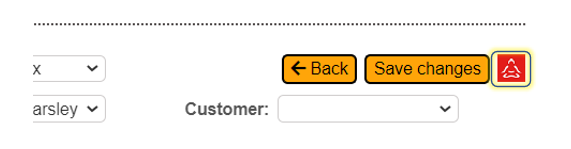
- Did you forget to create a new event in Event Guru Software first? Now you can connect an existing registration back to an event in Event Guru Software. A new red buddha is available in the event record beside Save Changes. This is used in cases when you forgot to create an event in Event Guru Software first and need to connect an event in Registration Guru with an event in Event Guru. Clicking on this icon will open up a list of existing events in Event Guru Software. Clicking on the event will connect the registration event with the event record in Event Guru Software.
Mid - January 2023
- Added the ability to change the text that appears on button in the event template
- Moved the Template from being accessed from a modal dialog to being available through a menu item "Design" on the left side menu
- Added the ability to print one badge at a time
- Expanded the international phone number field to allow up to 18 characters
For additional documentation please click here
September 2022
- Added the ability to set an idle timeout which will log users out of the system after a certain number of minutes. This is accessed through the manage organization screen using the new security tab.
- Added the ability to set passwords to expire after a certain number of days and force users to set the password. This is accessed through the manage organization screen using the new security tab.
- Added the ability to add custom fields to the attendee record. The custom fields are defined at the organization level and set per attendee using the attendee list form the event.
Was this article helpful?
That’s Great!
Thank you for your feedback
Sorry! We couldn't be helpful
Thank you for your feedback
Feedback sent
We appreciate your effort and will try to fix the article