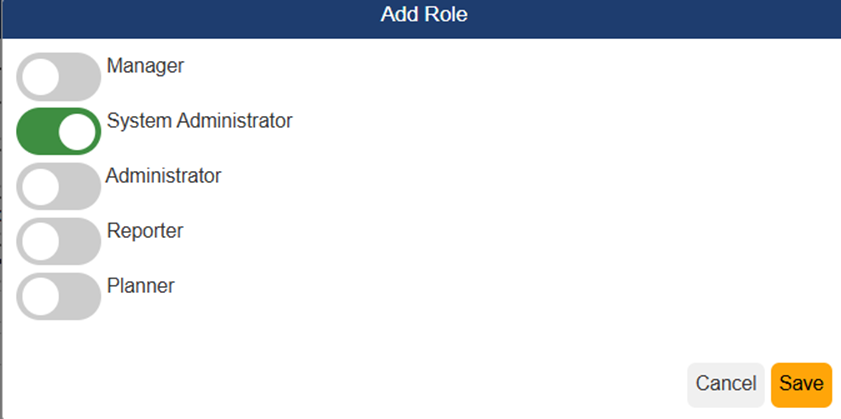
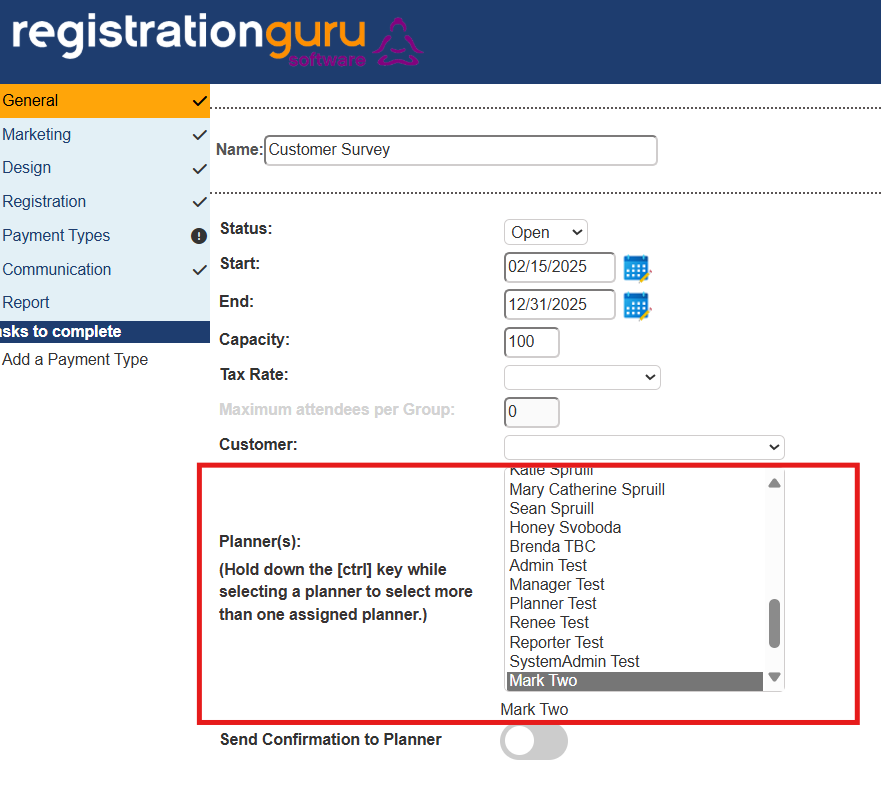
Registration Guru Software license includes unlimited user seats. However, there is a limit of 5 different options when it comes to the role of each user. What will a person experience based on the user role they have been set to? The System Administrator has full access to the RGS system and all events past, present, and future and is the only role permitted to set up new user accounts. The Administrator has access to only assigned events as well as the Events, Communications, Venues and Discounts tabs. A Manager role is limited to only those events he or she has been assigned as the planner as well as the Events and Communications tabs. A Planner role can only access the attendee list, revenue report and responses for the event as well as system wide reports from the main dashboard. The Reporter can only access events assigned as a planner including attendee dashboard, revenue and responses. No dashboard tabs are accessible to reporters. All roles require a system admin or admin to assign the person to a specific event via the planner listing as shown in the second screen shot.
The system admin can create a new user account by clicking on the People tab from the Dashboard and creating a new account. Registration Guru Software will send out an email with instructions to the new user.
Attached are all the roles along with screen shots of the views for your reference.
TIP: A user can have more than one role, so if you need to give a user enhanced access to the system consider adding a second role to their account.
Was this article helpful?
That’s Great!
Thank you for your feedback
Sorry! We couldn't be helpful
Thank you for your feedback
Feedback sent
We appreciate your effort and will try to fix the article