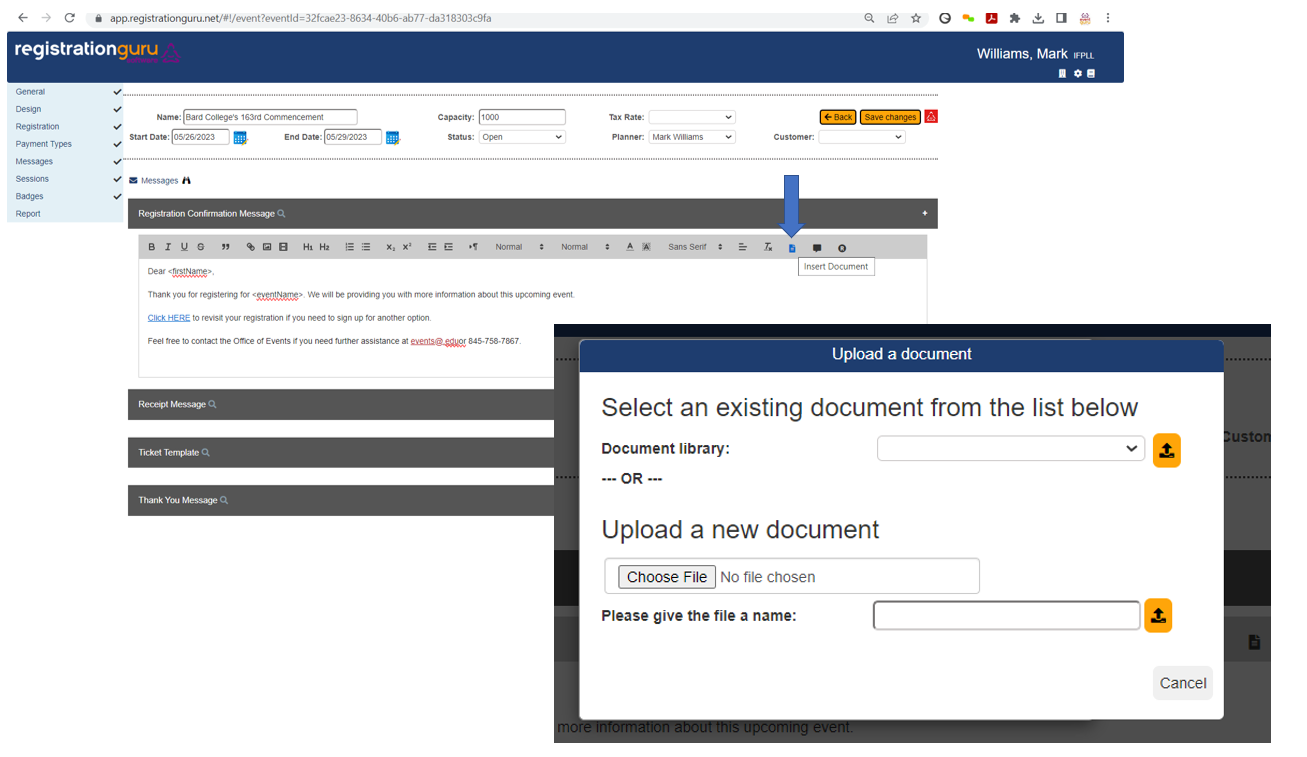
Need to attach a document to a communication? In the communications section, click on the Insert Document icon from the editor tool box and pick between selecting from the document library drop down or uploading a document from your file. Documents that are useful to have stored in the library include maps, parking information, directions, and other common information you would share with a visitor.
Was this article helpful?
That’s Great!
Thank you for your feedback
Sorry! We couldn't be helpful
Thank you for your feedback
Feedback sent
We appreciate your effort and will try to fix the article