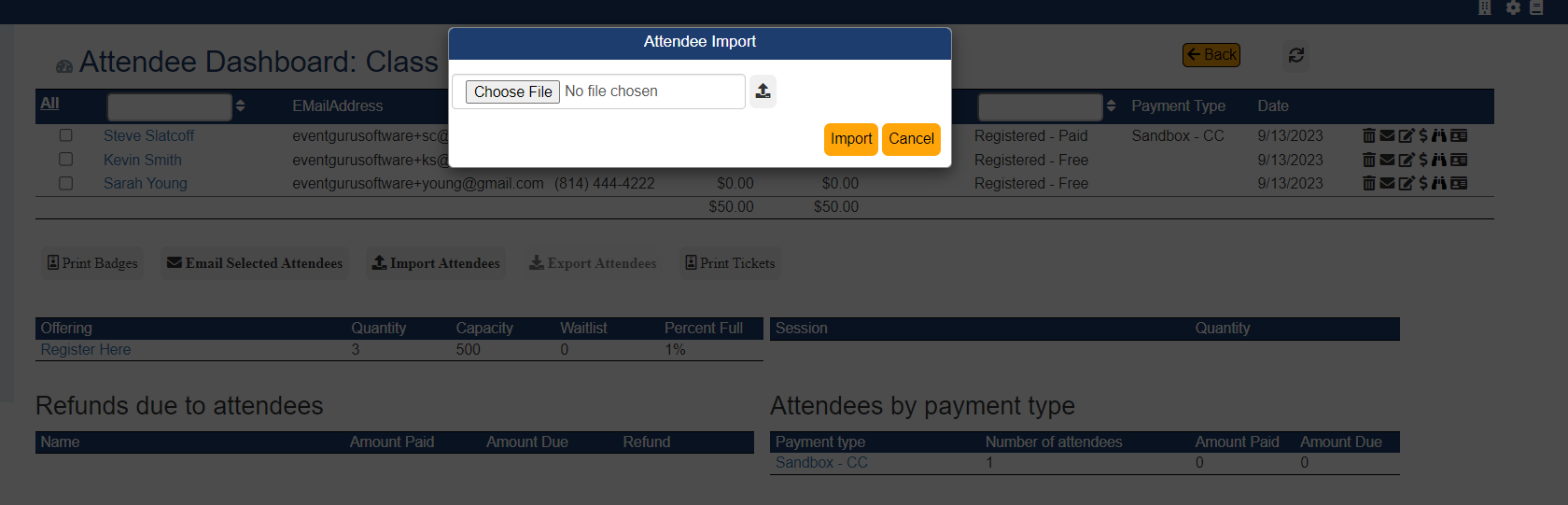
Do you have plans to do an RSVP and need to import attendees into Registration Guru Software? After creating a new event, go to the attendee dashboard and click on the Import Attendees button. You will see a window asking to attach a spreadsheet with all the guest information. The minimum amount of information needed is the first name, last name and email address. We also recommend including the attendee's phone number, but it is not required for the import to work.
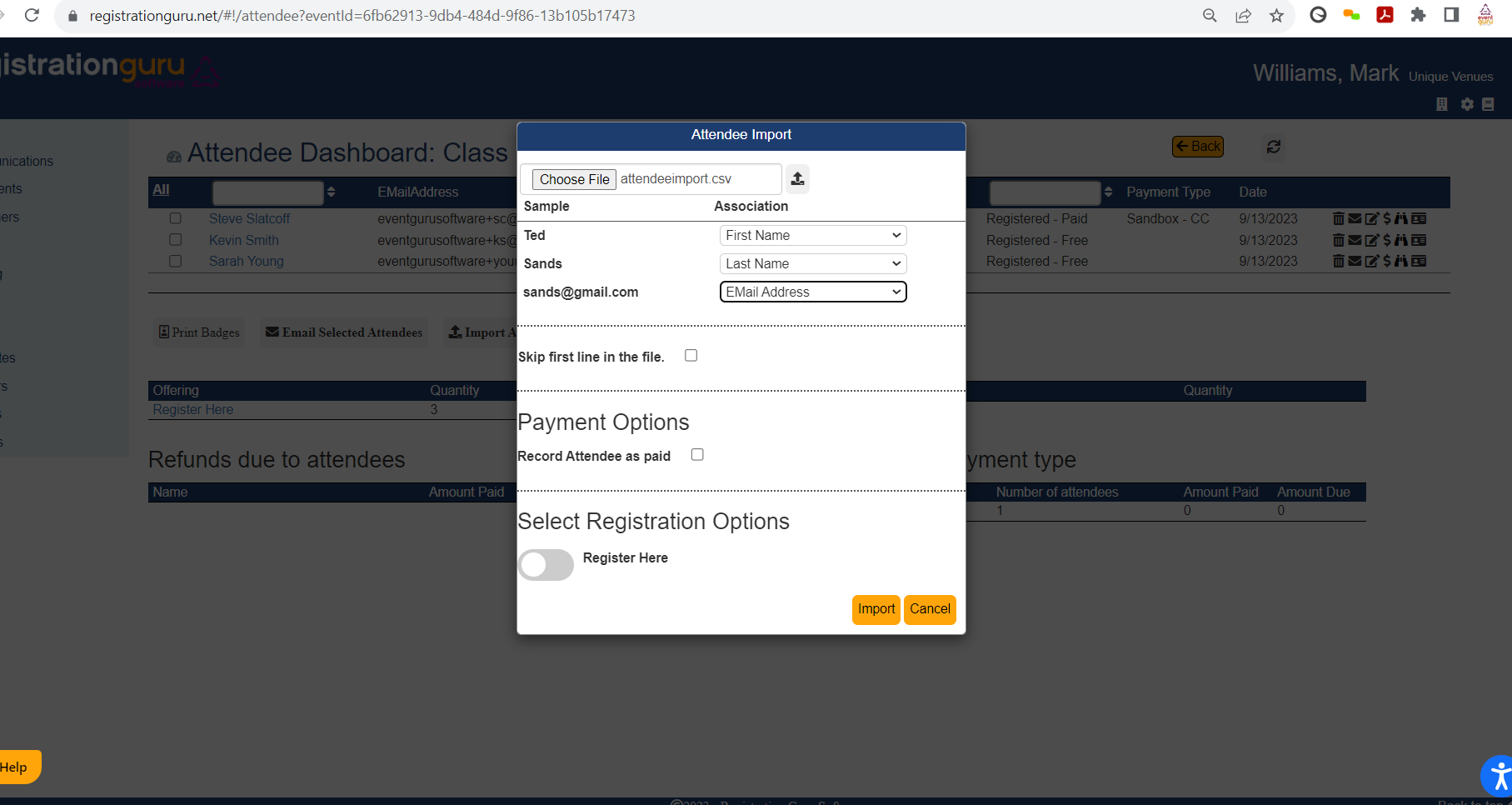
When you are ready click on Choose File which will open up your folders where you will need to find the appropriate file.Second, click on the up arrow icon which will open up a new merge field window where you are asked to match up the data in the file. The file must be a CSV format for the upload to work. Once you match the fields you can choose to skip the first line in the worksheet if that is just a header with generic descriptions like First, Last, Email. You don't need a header with field descriptions. If the list of attendees have pre-paid and have selected their registration options you can check the box and toggle on the registration option which will mark each attendee as registered-paid and connect them to the registration option automatically. Once you are finished click on Import. The attendee names will appear on the attendee dashboard.
Was this article helpful?
That’s Great!
Thank you for your feedback
Sorry! We couldn't be helpful
Thank you for your feedback
Feedback sent
We appreciate your effort and will try to fix the article