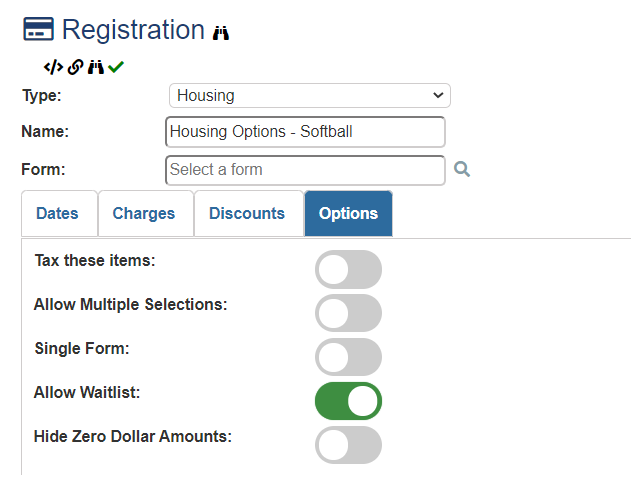
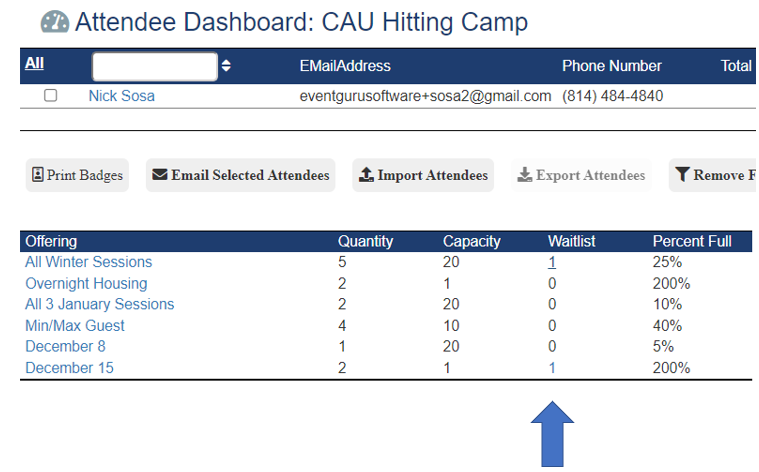
I want to collect information from attendees that are interested in going on a waitlist in case there are any cancellations. When in the registration option go to Options and turn on the Wait List toggle. Now whenever the registration option reaches its maximum number of seats the system will label the option as a waitlist and allow the attendee to register without making any payments. Anyone on a waitlist can be filtered in the attendee screen in the back end of the system by the planner or administrator. You can contact the person on the waitlist via email in the event you have an opening or increase the number of available seats for the event. The attendee on the waitlist would need to use their unique ID to log into their account and finish the registration including making a payment if applicable.

Was this article helpful?
That’s Great!
Thank you for your feedback
Sorry! We couldn't be helpful
Thank you for your feedback
Feedback sent
We appreciate your effort and will try to fix the article